Sal & Pólvora
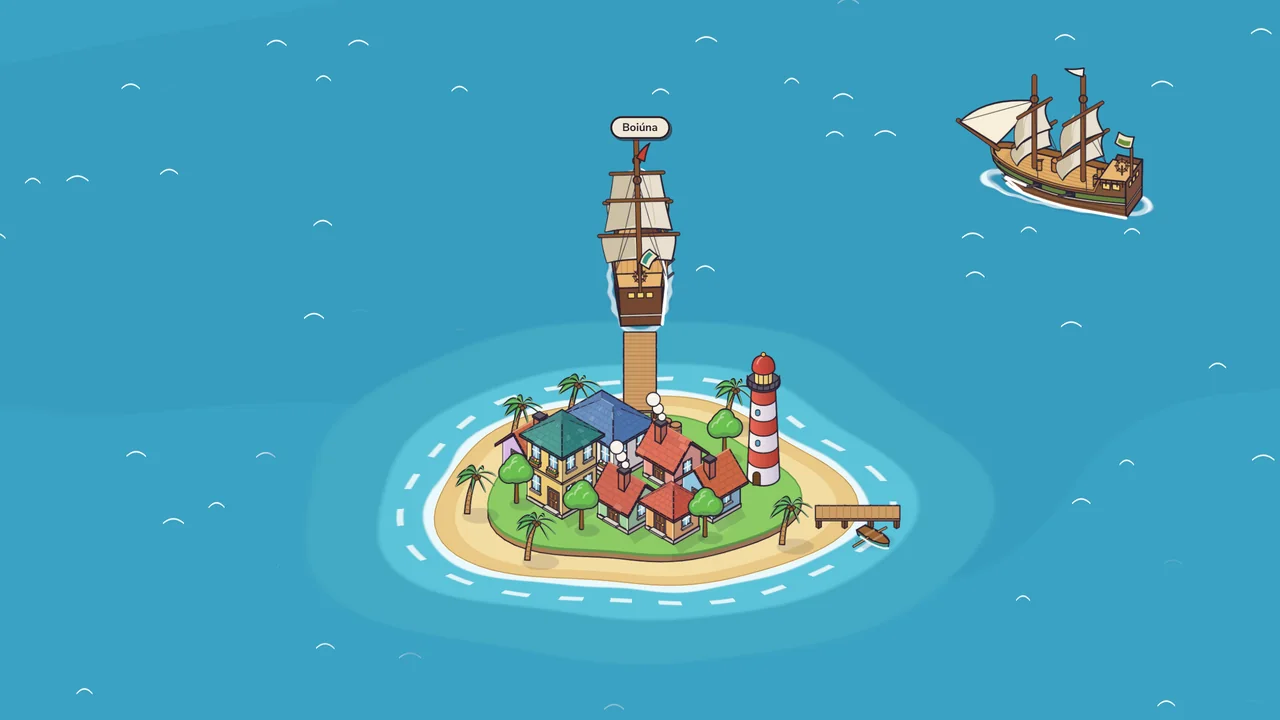
Port of Sal seen from the sea, with a ship moored at the north pier and a merchantman passing by

In the age of sail · straight in your browser

Sal & Pólvora

Command your ship from a port city, pick a zone on the sea chart and let the sea work for you: your ship keeps patrolling, fighting and bringing cargo even while you are offline. The port now grows beyond the island, and ten legendary ships wait in the deepest seas.

Just create an account and set sail.

The trailer

See the game running

All of it recorded in the game itself, with no drawn scenes on the side. Play

The expansion

The port goes beyond the island

Four new districts around Port of Sal, each opened with an expansion project: the Western Cliffs and the Cannon Plateau, on land, and the Calm Bay and the Crows' Cove, at sea. The projects are long and costly: a big port is the work of a patient captain. The wall is built block by block, in wood, iron, steel or pearl, and the port can wear a skin.

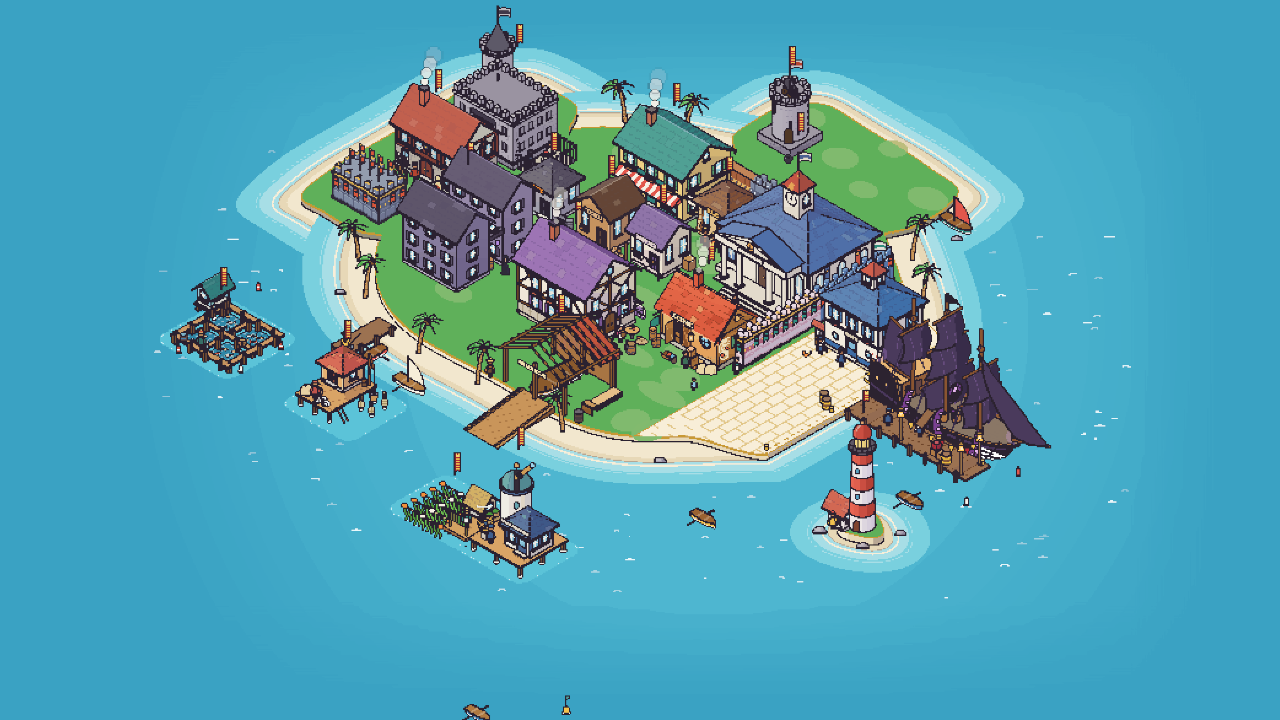
Game capture: a captain's port with the four districts open. The Western Cliffs, with Enzovia, the barracks and the wall of blocks in different materials; the Cannon Plateau, with its towers; the Calm Bay, with the fish pen and the oyster bed; and the Crows' Cove, with the algae farm and the nautical observatory. The port wears the Imperial Gold Quay skin, and a legendary ship is moored at the pier.
Game capture, unretouched: a captain's port with the four districts open.
  • Western Cliffs

    Stockade · Barracks · Wall · Cannon Tower

  • Cannon Plateau

    Cannon Tower · Wall

  • Calm Bay

    Fish Pen · Oyster Bed

  • Crows' Cove

    Algae Farm · Nautical Observatory

New constructions

Prisoners, mariculture and defenses

Pirates defeated at sea can become prisoners. They stay in the Stockade and work the production buildings: without a prisoner, there is no passive production.

Stockade

Western Cliffs

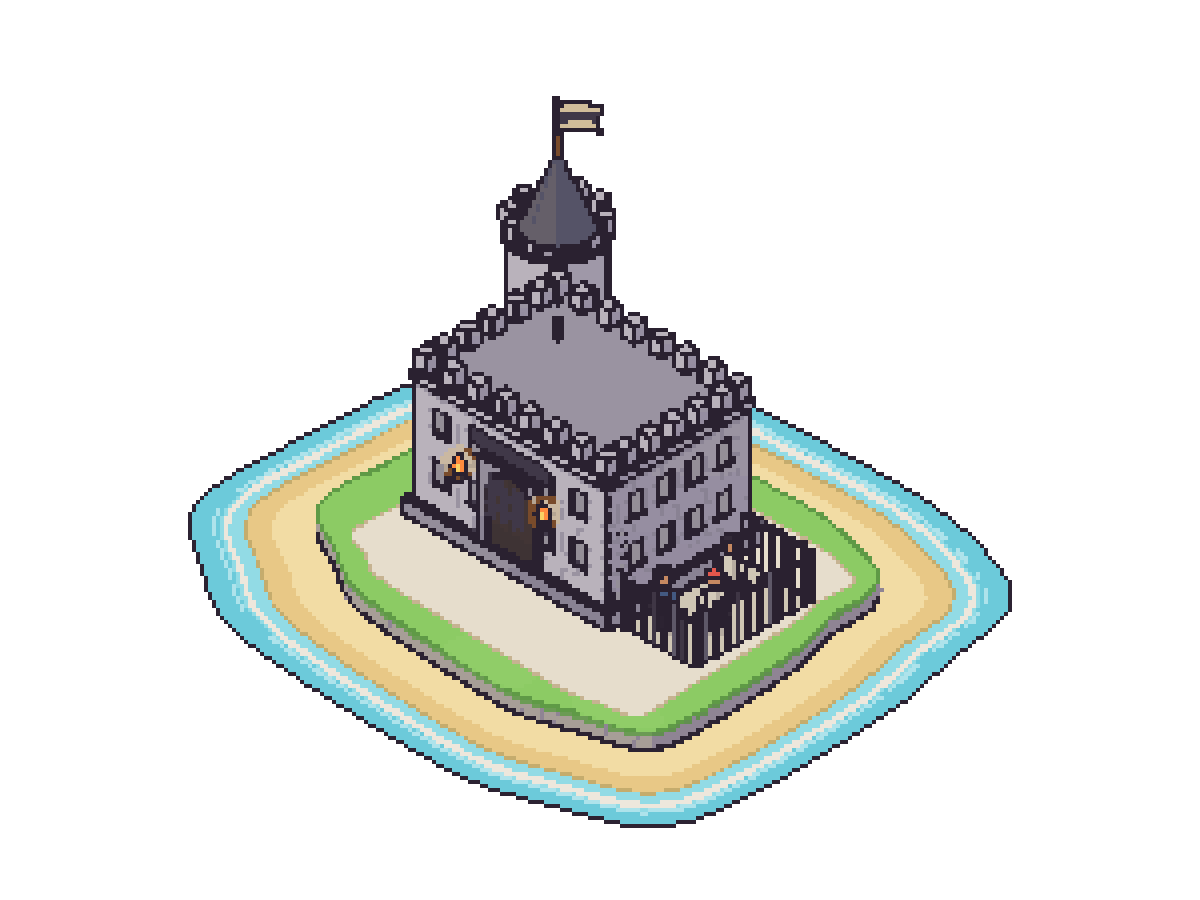
Stockade

The stone prison where pirates captured at sea are held. The bigger it is, the more prisoners it fits.
Barracks

Western Cliffs

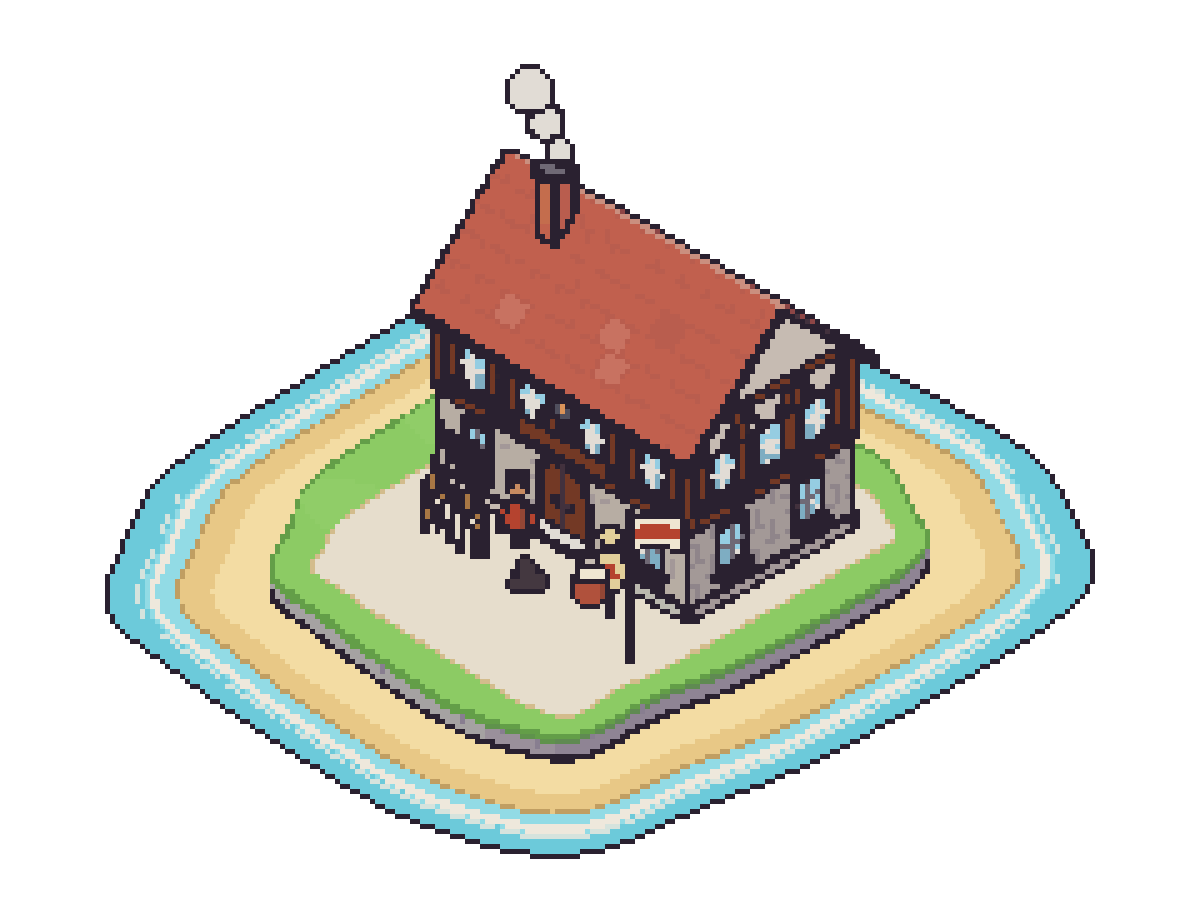
Barracks

The port guard's training yard, with the spear rack and the cannonballs stacked up.
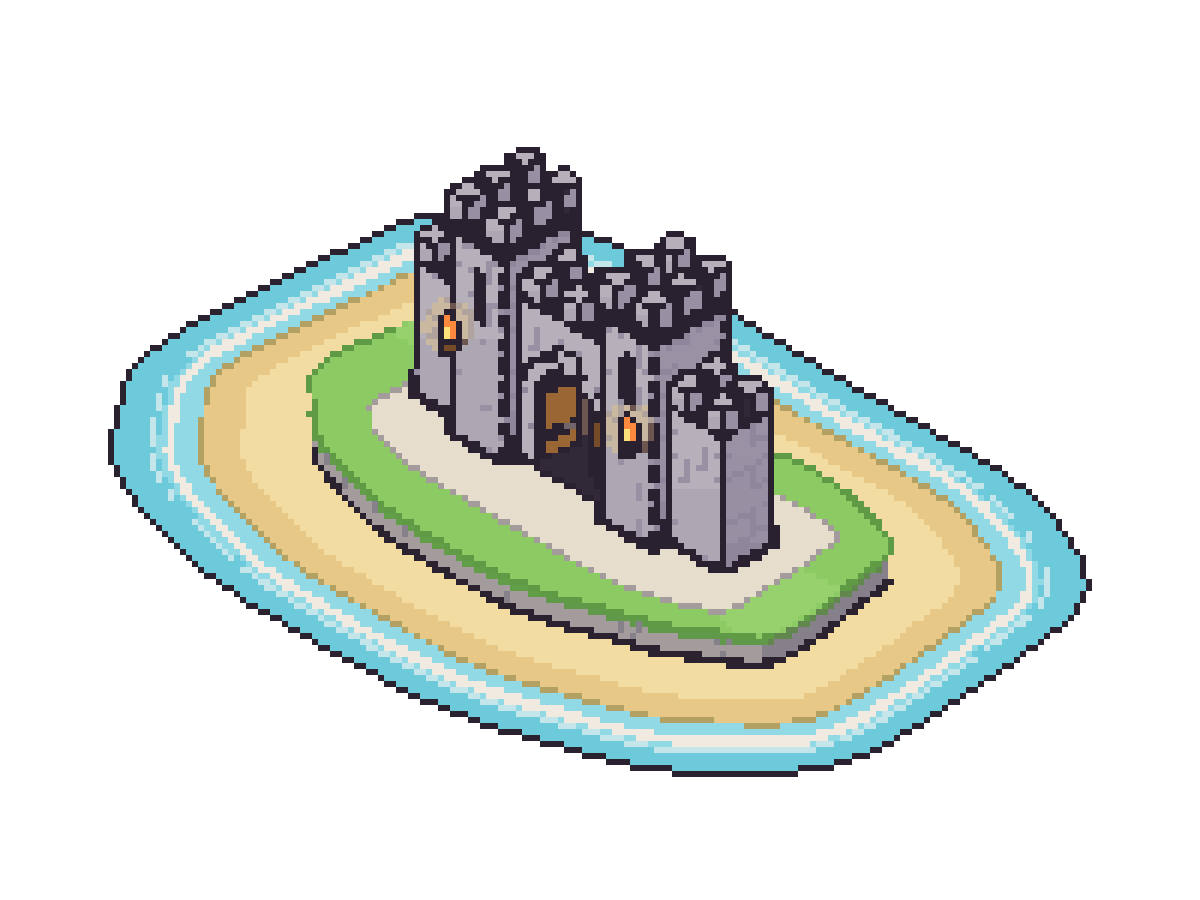
Wall

Western Cliffs

Wall

The rampart with the patrol walk and the sentry box over the gate, closing off the fortress.
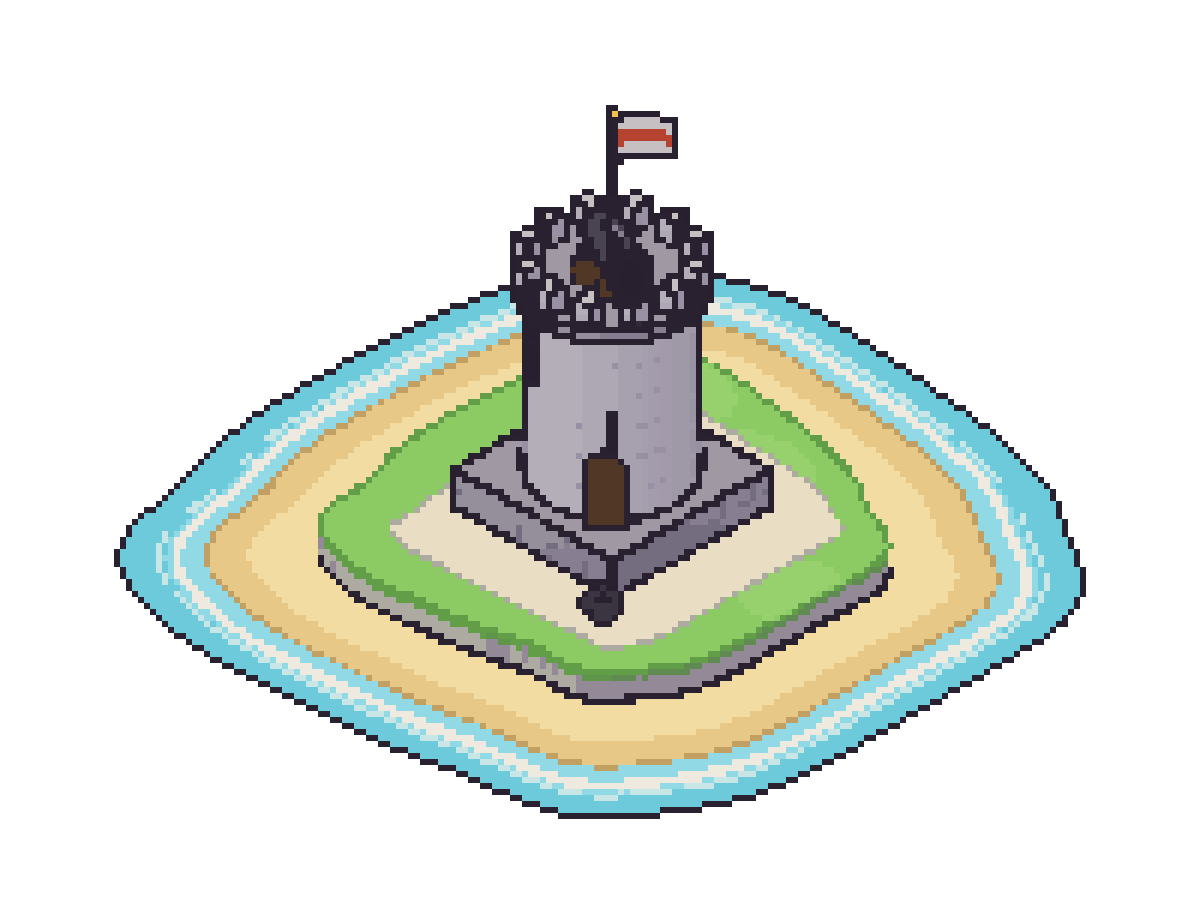
Cannon Tower

Western Cliffs and Cannon Plateau

Cannon Tower

The round tower with a cannon on top, aimed at the sea.
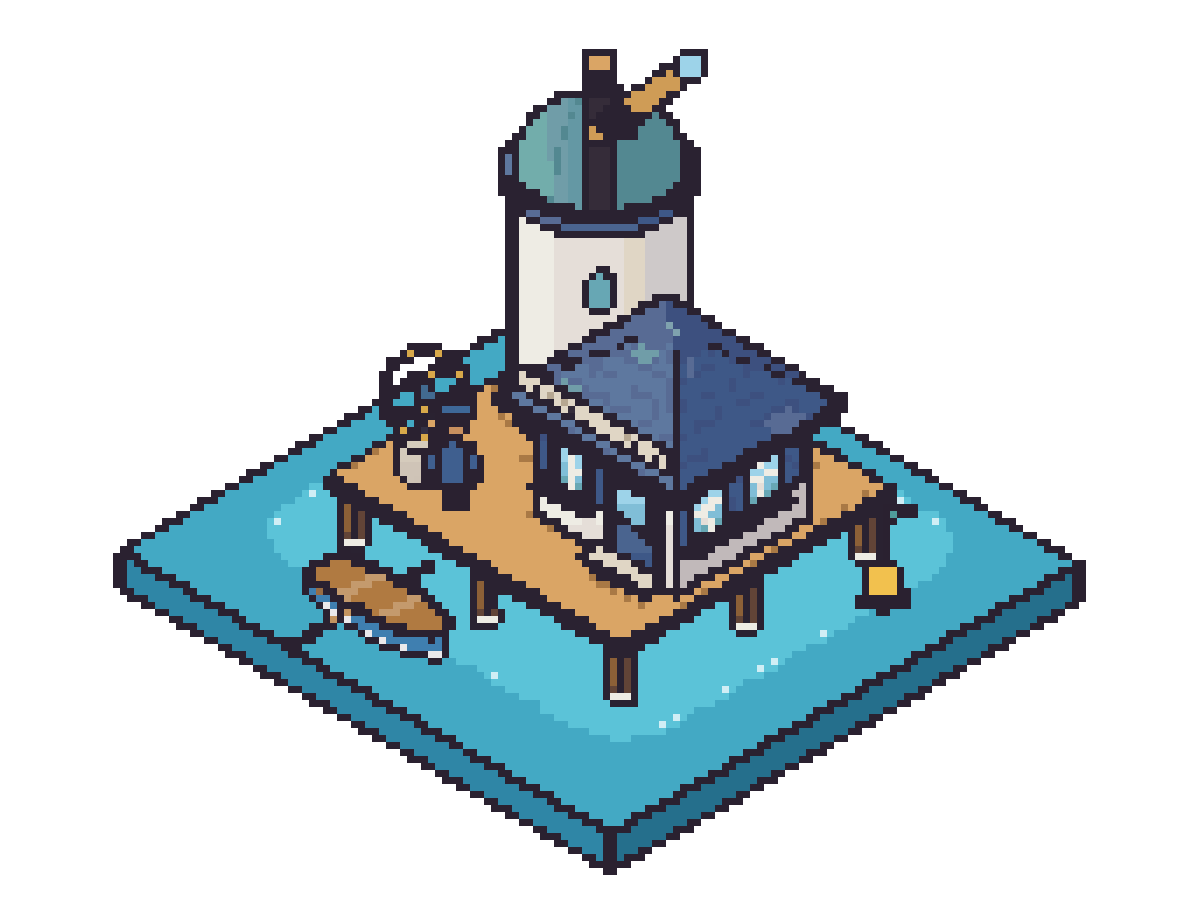
Nautical Observatory

Crows' Cove

Nautical Observatory

The research stilt house out at sea: a copper dome with a telescope, where the astronomer studies the stars and the sea lanes.
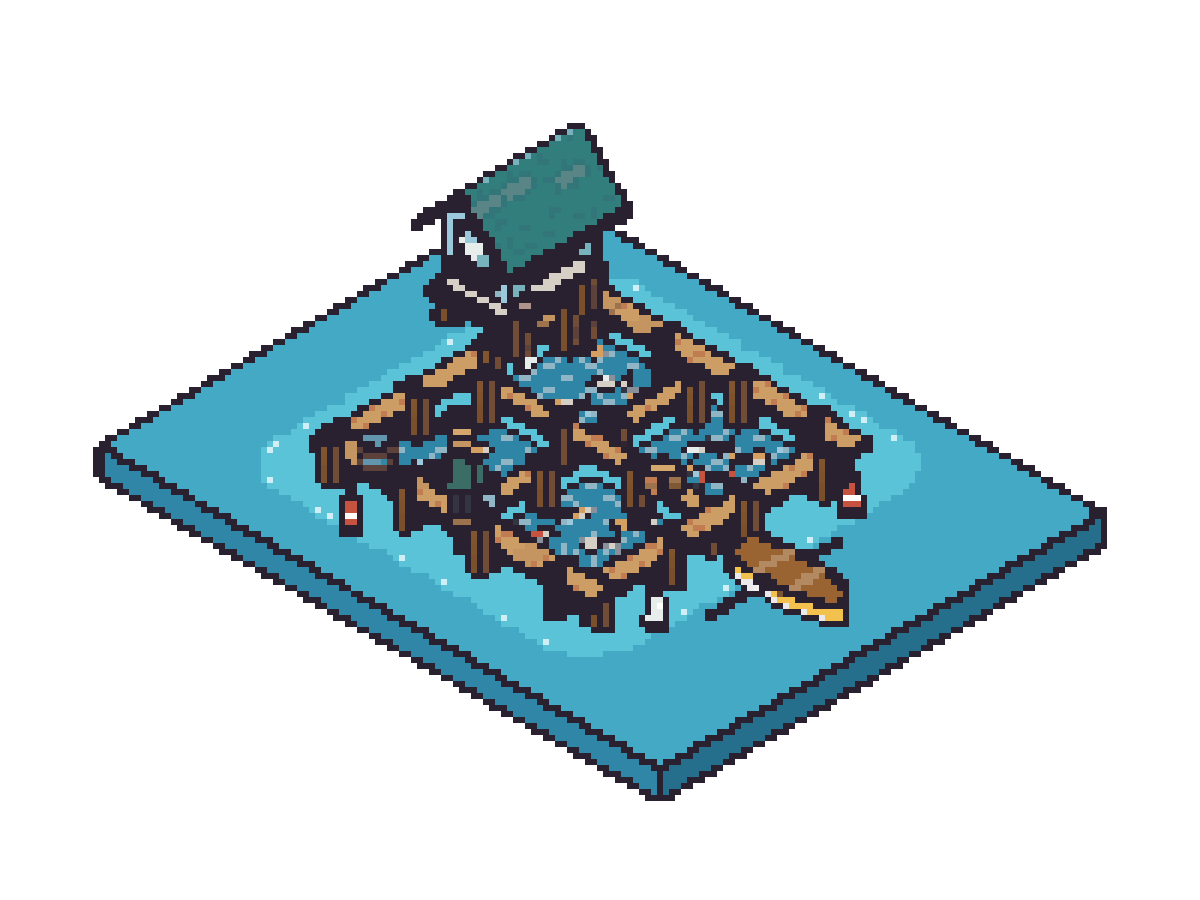
Fish Pen

Calm Bay

Fish Pen

Net pens at sea, full of fish, tended by the prisoners.
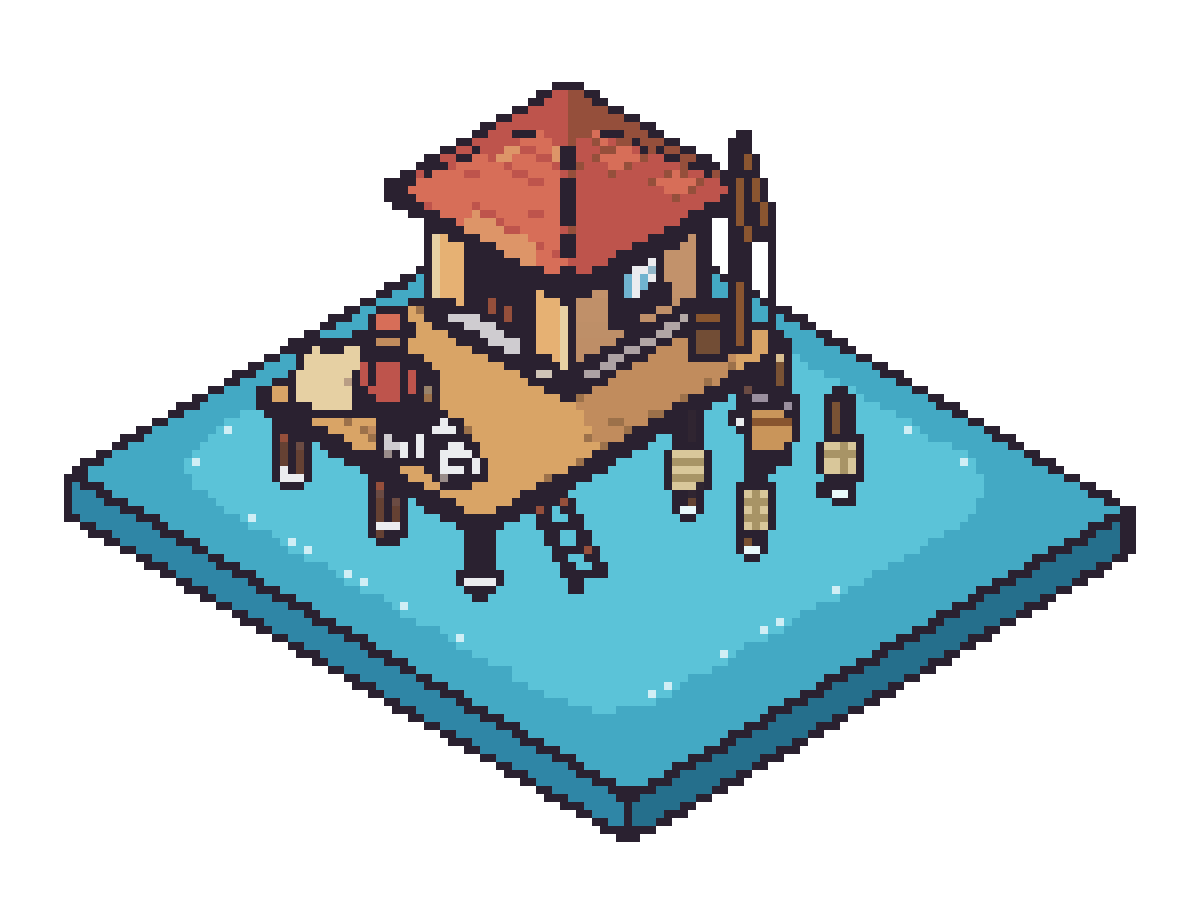
Oyster Bed

Calm Bay

Oyster Bed

The pearl diver's house on stilts, with the oyster cages and the crane that hauls the pearls up from the bottom.
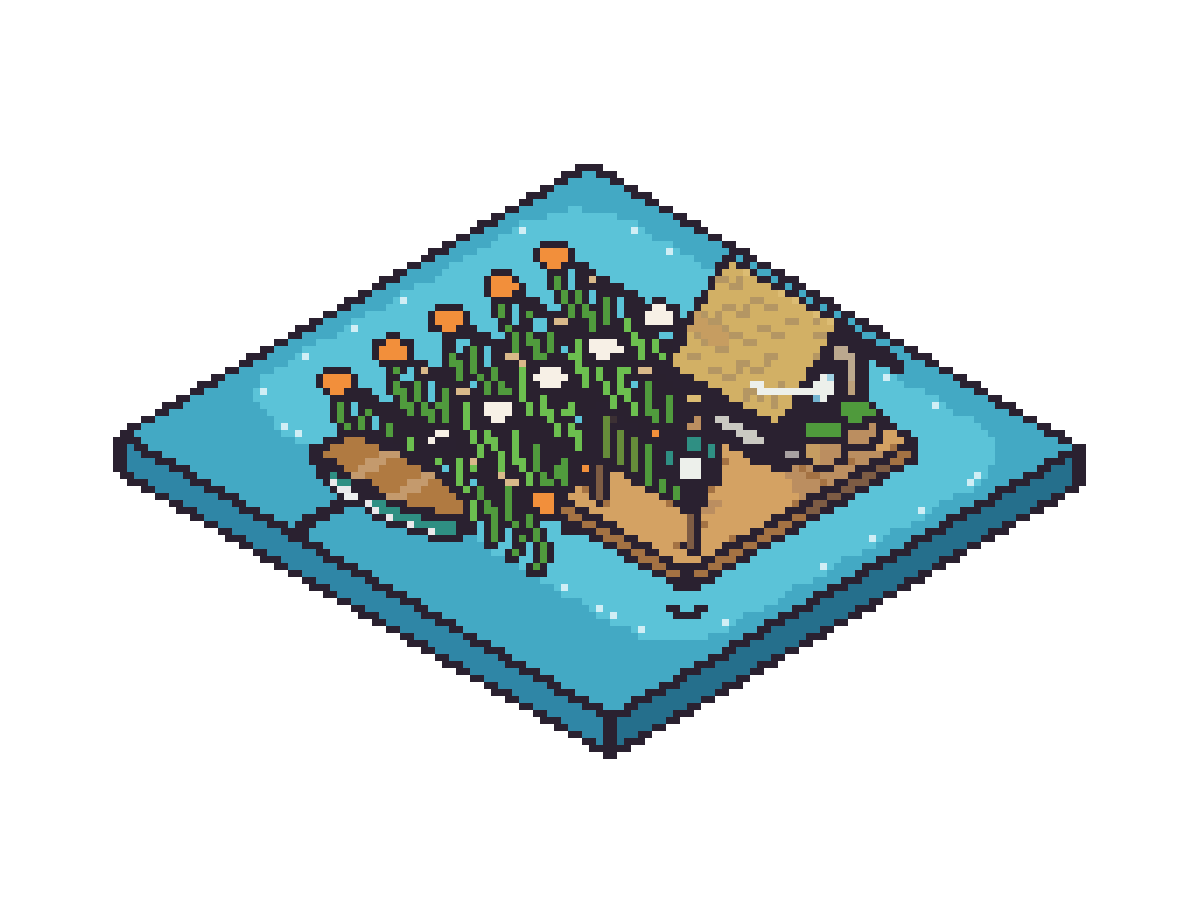
Algae Farm

Crows' Cove

Algae Farm

Buoy ropes with the algae growing on them, and the raft where it dries on the line.

Ultra-rare blueprints

Ten legendary ships

Each one has its own blueprint, found in very rare wrecks in the most dangerous zones, or bought at Crow's Alley. With the blueprint learned and the rare parts from the right sea, the Shipyard builds the ship, and you switch between it and the starter hull in port.
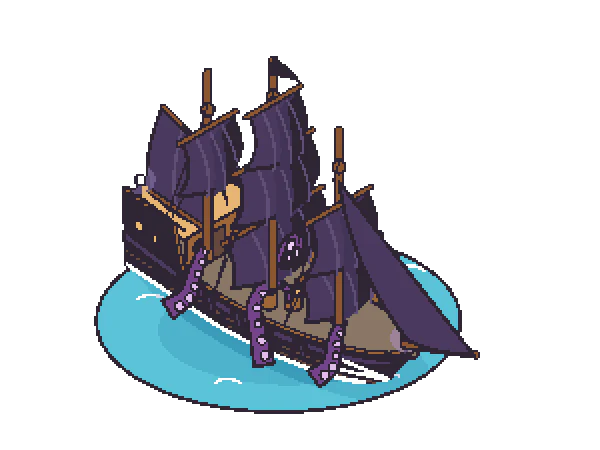
The Black Kraken, armored leviathan

The Black Kraken

Armored Leviathan

The ebony frigate with tentacles climbing its hull. It pins the enemy with harpoons and never lets go.

Boarding Harpoons · blueprint at the Leviathan's Crown, in the Reefs
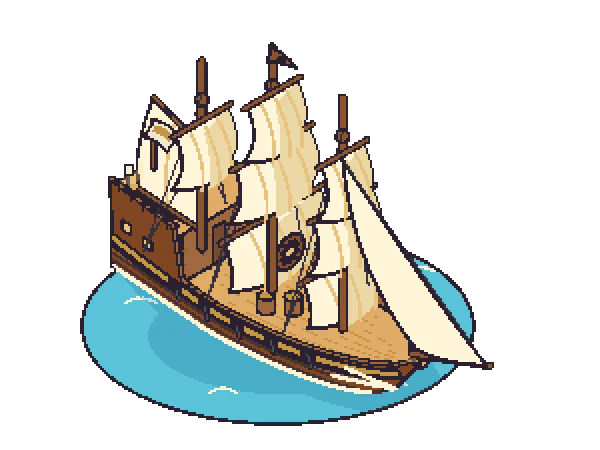
Galleon of Ophir, imperial freighter

Galleon of Ophir

Imperial Freighter

The largest hold at sea, with a gold frieze and the sun of Ophir on the sail. It always comes back with the full cargo.

Armored Strongbox · blueprint in the Grey Trench, in the Mists
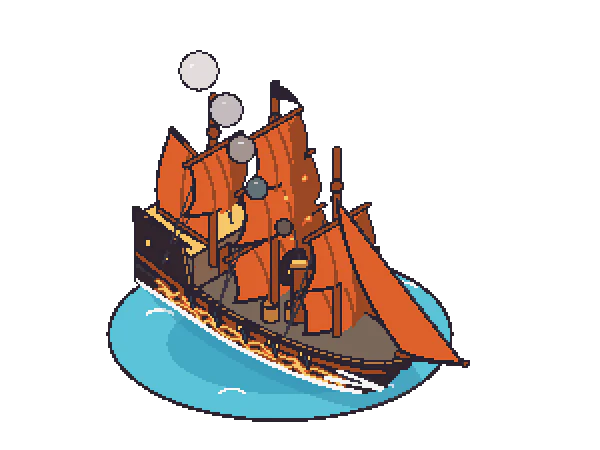
Wrath of Vulcan, pyromaniac carrack

Wrath of Vulcan

Pyromaniac Carrack

The charcoal hull with embers glowing in its slits and the furnace smoking on deck. It sets fire to whatever it finds.

Greek Fire Mortar · blueprint at the Broken Masts, in the Mists
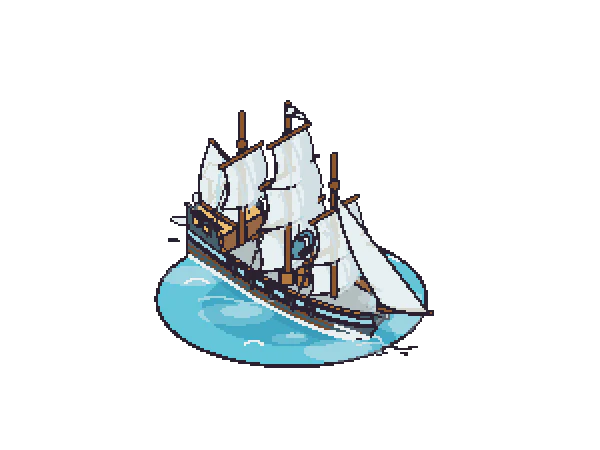
Lady of the Mists, spectral frigate

Lady of the Mists

Spectral Frigate

Slender, with translucent sails and cold lanterns, always wrapped in fog. It vanishes before the cannon can hit.

Phantom Veil · blueprint at the Fog Pass, in the Mists
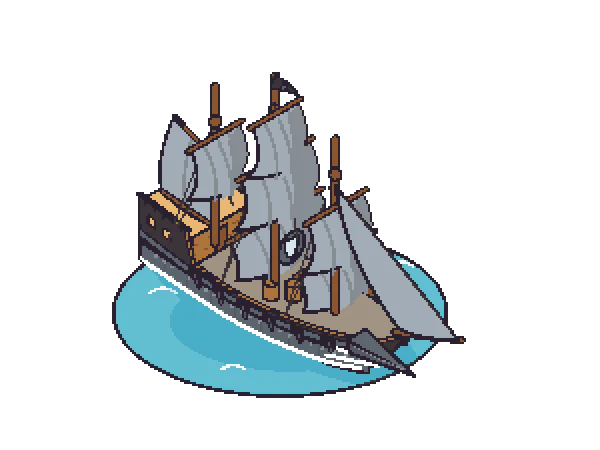
Abyssal Iron Bastion, armored ram

Abyssal Iron Bastion

Armored Ram

Riveted iron plates and a ram on the bow. It takes the broadside head-on and does not turn aside.

Lead Armor · blueprint on the Isle of the Dead Lighthouses, in the Mists
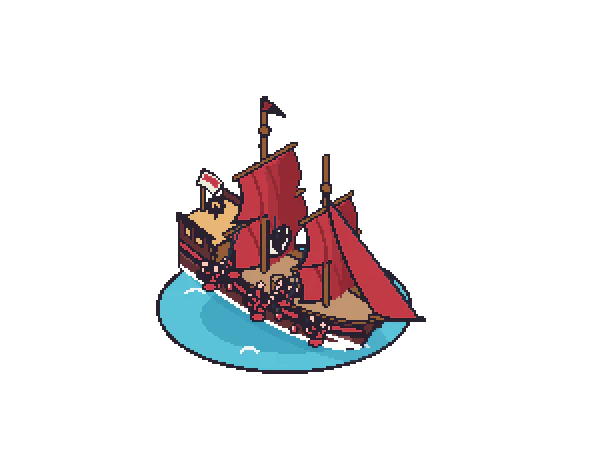
Blood & Coral Schooner, vampire predator

Blood & Coral Schooner

Vampire Predator

The ruby schooner with living coral growing from its side. In the calms, the hull mends itself.

Coral Mast · blueprint in the Coral Garden, in the Reefs
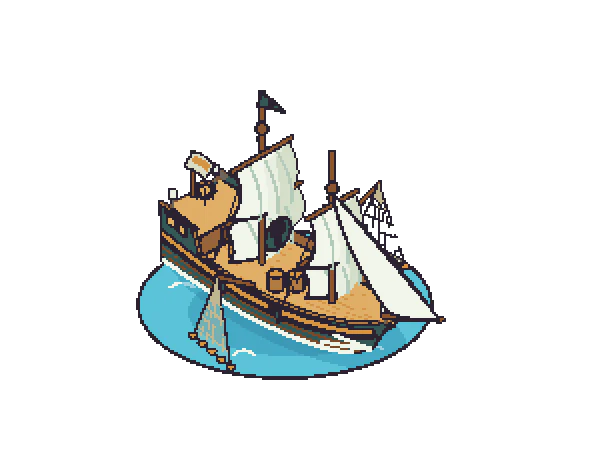
Royal Neptune Trawler, deep-sea trawler

Royal Neptune Trawler

Deep-Sea Trawler

The wide trawler, with nets on the cargo booms and the trident on the sail. It finds the shoals no one else can see.

Hydroacoustic Sonar · blueprint in the Bay of the Drowned, in the Mists
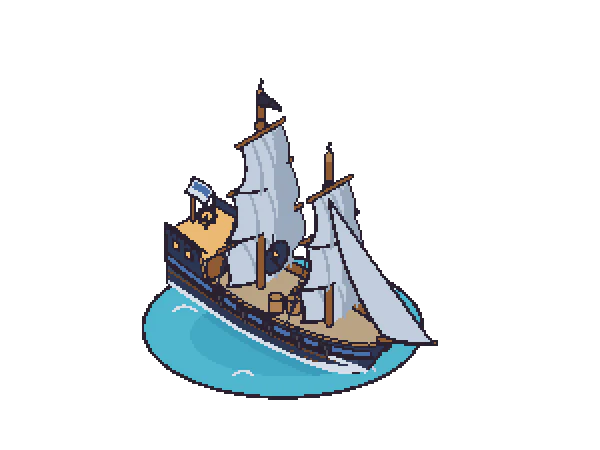
Southern Storm, typhoon brig

Southern Storm

Typhoon Brig

Tall masts, storm-grey sails and sparks at the topmasts. It runs with the wind that knocks the others down.

Vortex Generator · blueprint in the Whirlpool's Eye, in the Gunpowder Sea
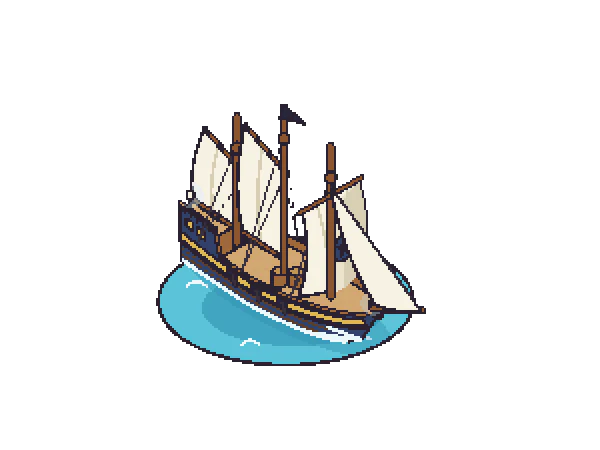
Caravel of the Stars, celestial navigator

Caravel of the Stars

Celestial Navigator

The lateen caravel with a star on the foresail. It sails farther than the chart reaches.

Celestial Chart · blueprint at the Ghost Ship's Throne, in the Mists
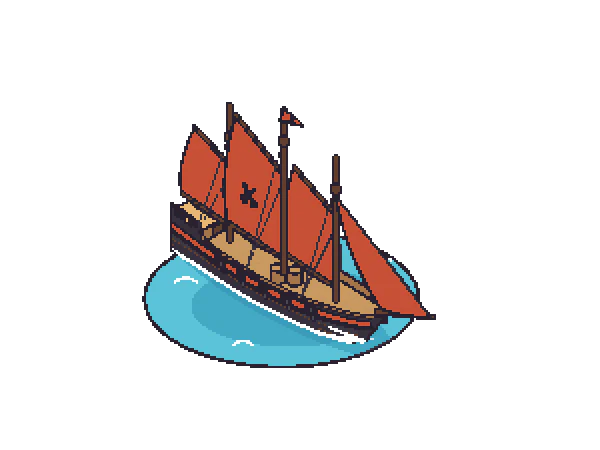
Cutting Wind, corsair nau

Cutting Wind

Corsair Nau

The low xebec with three red lateen sails. The fastest on the guns: it fires before the other one turns.

Repeating Batteries · blueprint in the Shark Channel, in the Gunpowder Sea

The sea is alive

Your ship keeps sailing while you are offline, and other captains may come to meet you: a sea battle that, in the dangerous zones, is worth cargo.

Preparation wins the battle

You don't aim the cannon: you pick the ship, the crew, the ammunition and the tactics. The battle is the test; the replay, the reward.

Short sessions, long progress

A few minutes to plan, hours of progress. When you come back, there is always a logbook with news.

Game captures

The sea that is already live

Images of the game as it runs in the browser, unretouched. The world is generated by the server: every captain sees the same islands and the same ships.
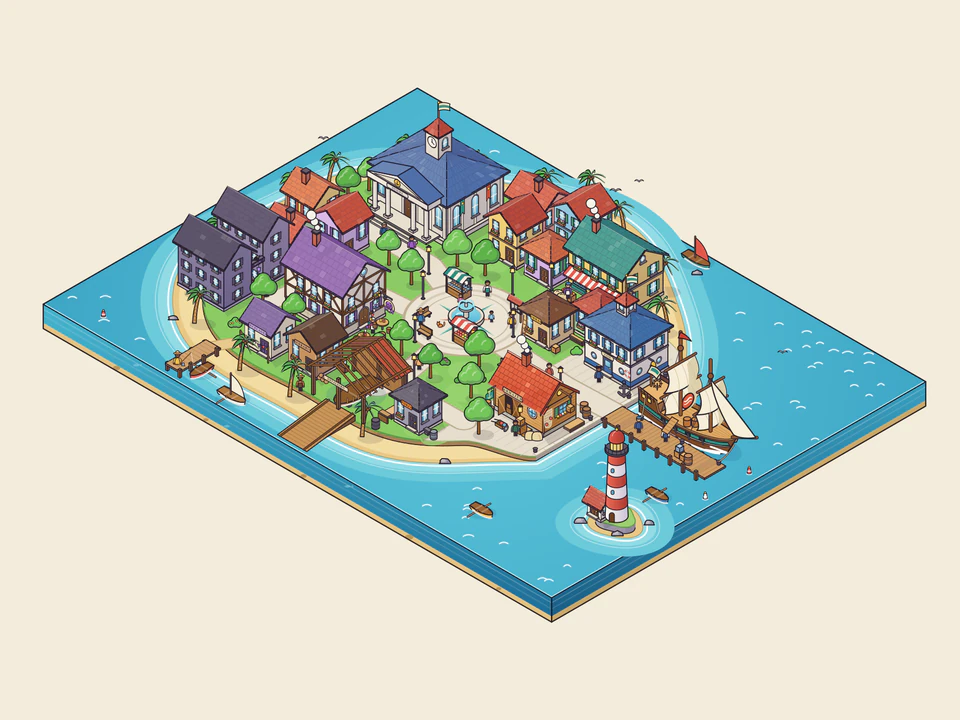
Port of Sal seen from above: the Quay by the pier, the shipyard, the tavern, the guild, the emporium and the houses around the square

Port of Sal

It all starts in town: every building has someone with a trade, and the ship sails from the Quay. On the way back, the cargo goes to the warehouse and the Emporium buys it.
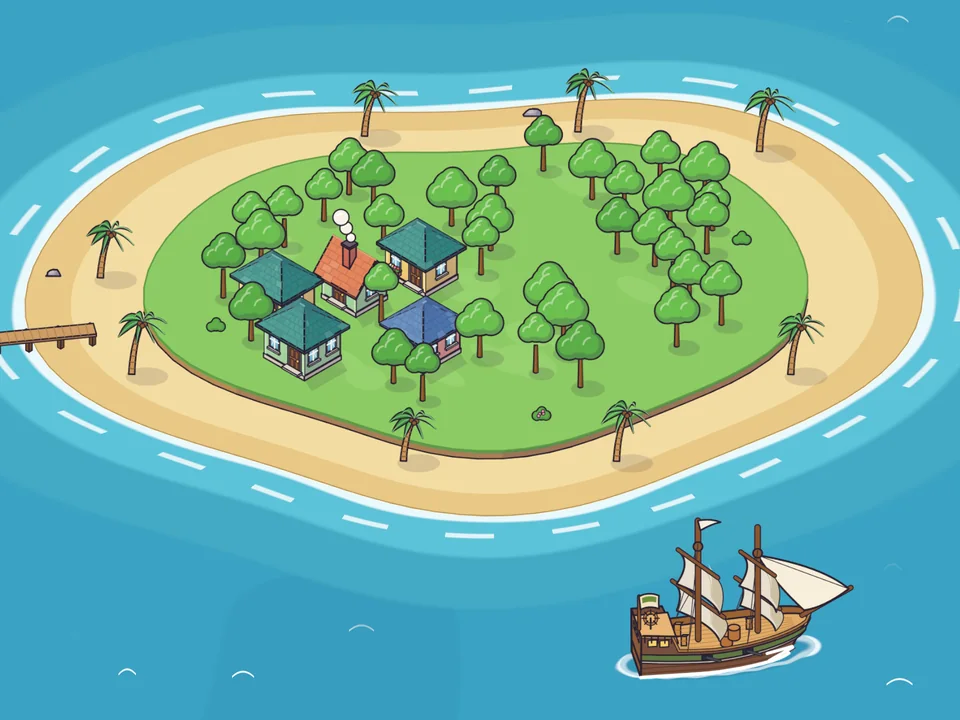
A sand-and-scrub island in the open sea, with a village, a landing stage and dashed surf around it, and a merchantman passing

Rare islands

The sea is almost all open water. When the route crosses an island, the ship anchors, explores and skirts the coast.
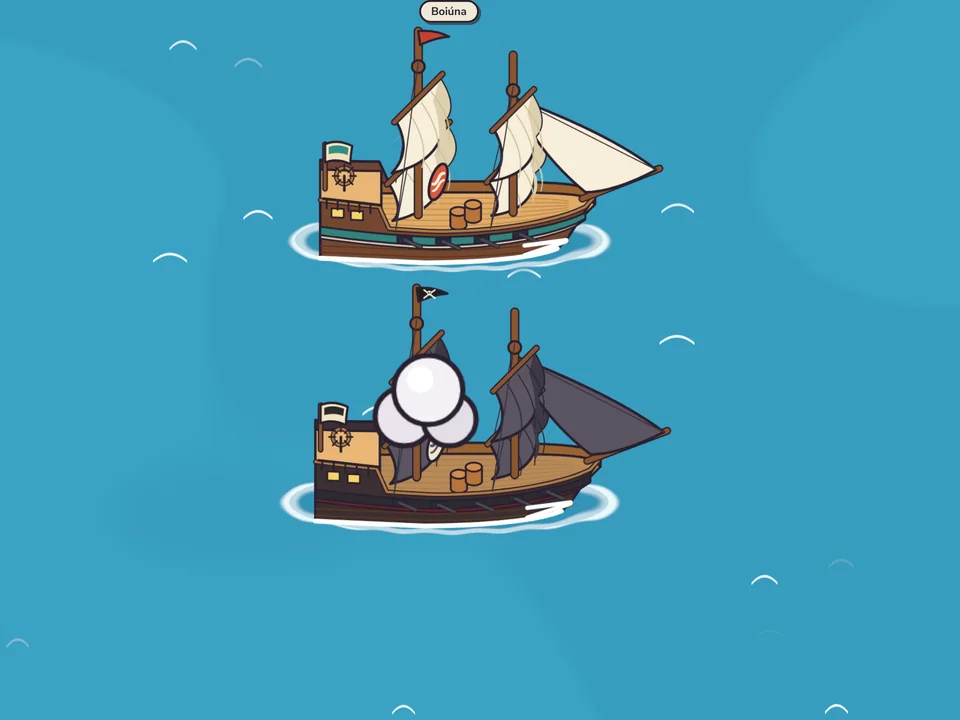
A black-sailed ship fires on the player's ship, and cannon smoke rises between the two

Rare encounters

Now and then, a wreck, a merchantman, a storm or pirates. Everything resolves on its own, and the logbook tells the story.

How it works

  1. 1

    Plan in port

    Upgrade the ship, hire the crew and put the trades to work.

  2. 2

    Pick a zone on the chart

    The sea charts open one by one, from the port's Lighthouse. Each zone has eight districts, and the district decides what the ship fishes.

  3. 3

    The sea works for you

    The ship patrols the district and fills the chest on its own. Wrecks, merchantmen, pirates and storms show up now and then.

  4. 4

    Come back with loot and stories

    Read the logbook, watch the replays and prepare the next voyage.

Three hulls to start with

Pick your first ship, name your captain and sail from the quay. Each hull changes the way you play.
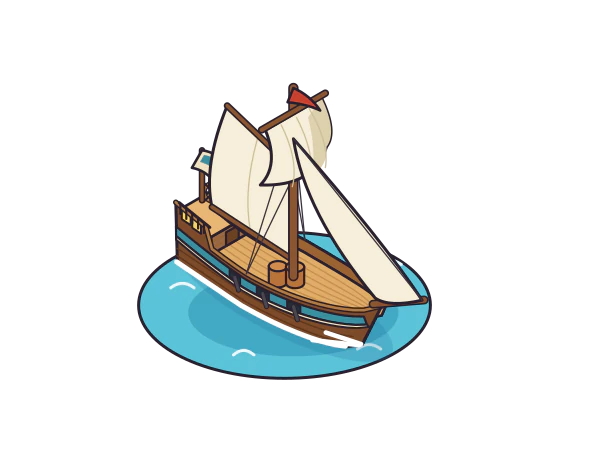
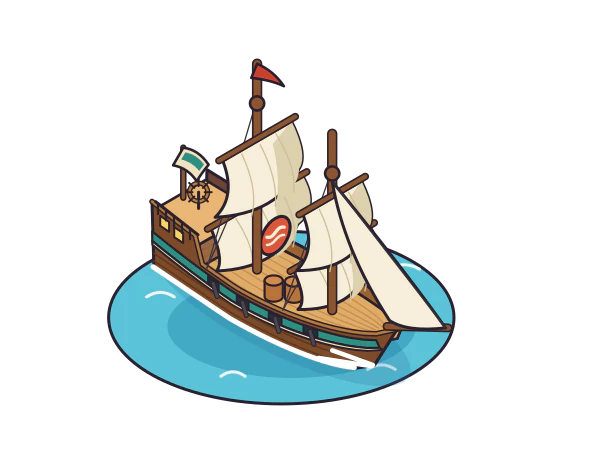
Swallow, sloop

Swallow

Sloop

Agile on the guns: it fires the broadside and recharges its abilities more often, but the hull takes less. Made for quick fights.
Reload
Attack
Defense
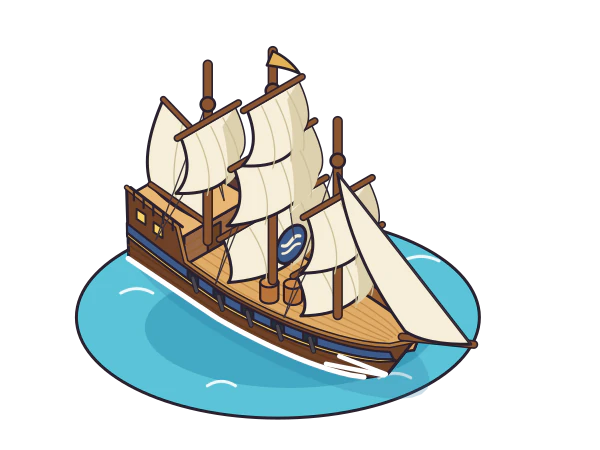
High Tide, brig

High Tide

Brig

Balanced in everything. The versatile pick for anyone who doesn't yet know what they want from the sea.
Reload
Attack
Defense
Bastion, light frigate

Bastion

Light frigate

Heavy on the guns: a stronger shot and a hull that takes more, but it fires and reloads more slowly. Made for combat.

Reload
Attack
Defense

Patch notes

  1. v0.38.0 ·

    Lighter events, blueprints and the Island

    The Race on Nov 17 froze at the start and slowed the game down for a few minutes. This version fixes the cause and makes the Race, the War, the Kraken, the Serpent and Ghost Island lighter on the server and faster on screen. It also brings the ship blueprint fixes and a legendary prize on the Island.

    🏁 Race

    • The start no longer freezes with many captains signed up: ships return to port in parallel and the race opens on time.
    • Boat positions arrive through the live channel, twice per second.
    • The standings show the top 10 and your own position.

    ⚔️ Guild War

    • The fight and your ship's movement go through the live channel, with less delay between the command and the screen.
    • The fight screen no longer hits the request limit in the middle of combat.

    🦑 Kraken and Serpent

    • The arena opens quickly even with many captains signed up, and ships return to port without holding the fight.
    • In the Kraken, your step shows up for the room in about a tenth of a second.
    • The Kraken step no longer locks up from too many actions: only the step's own cooldown applies.
    • If the server goes down in the middle of a Kraken fight, damage, position and eliminations carry on.

    🏝️ Ghost Island

    • New legendary prize: the Legendary ship blueprint. It comes up once every 100,000 spins and gives the blueprint of one of the legendary ships, picked at random.
    • The +1 talent Card now has the same chance as the Gunpowder Sea Blueprint.
    • With a hunt or fishing trip underway, you can tap the island on the chart, see it marked and sail to it.
    • A spin that fails is not charged again on the retry.
    • The six Captain Ossada cosmetics got new art: ship, harbor, frame, wake, nick and title.

    🛠️ Blueprints and Naval Workshop

    • The Gunpowder Sea ship blueprint reaches the Warehouse. Before, it vanished when the voyage arrived.
    • The Naval Workshop gets the Learn Blueprint button, on the Blueprints tab and on the ship card, for the blueprint sitting in the Warehouse.
    • The blueprint has a new icon in the Warehouse, the hold, the arrival note, the Mail and the Market.
    • The blueprint is much rarer at sea, at the pace of a common relic.
    • Sea craft items drop once every 4 hours of farming, on average. It used to be once every 3.

    🧰 Chests

    • Every chest that drops on a new voyage comes in one of five tiers: wood, bronze, iron, gold or diamond.
    • The tier multiplies the chest's gold and XP by 1, 3, 8, 20 or 50. Materials are the same in all of them.
    • More dangerous zones give a better chance of a high tier.
    • The chests you already had still open.

    🌊 Sea

    • Closing the game without Sleep only brings the ship back after 1 hour with no signal. It used to be 3 minutes, and a phone in the background ended the voyage.
    • The VIP merchant also collects chests with a zone and tier chests.
  2. v0.37.0 ·

    War, Kraken, Race and Improve

    Guild War enters the game. The Kraken and the Race now take turns with the Serpent, one event every 8 hours. Ghost Island appears at midnight and at noon, now with Captain Ossada. The Naval Workshop arrives at the port with 48 new ships to build and improve. The forced attack comes to the sea, Mail gets a new box, and for 48 hours from this publication everyone gets double XP.

    ✨ Double XP

    • For 48 hours, counted from this publication, +100% XP on everything that gives XP. The icon sits in the buff row, separate from Blessing of the Seas, with the time left.
    • It adds to what you already have: Blessing +50% and this buff make +150%; VIP +20% and this buff make +120%. When the time ends, the icon goes away.

    ⚔️ Guild War

    • The War of the seas is the weekly fight between brotherhoods over a sea. Each side brings its squad, and the fight happens on one screen.
    • A single screen gathers the three seas, with the Overview, Bracket, Guilds, Squad and History tabs. The seal next to the sea's name, on the chart, shows the state of the contest and the crest of the guild that owns it.
    • Each guild contests one sea per week. To sign a guild up for a sea, whoever signs up needs that sea unlocked.
    • The leader calls up the squad, and the invite arrives by Mail. The squad shows level, Power and who is online. You can join a fight already under way, and the ship of whoever falls stays on the map.
    • The bracket runs to the end: a guild with no opponent goes through by walkover, and overtime that decides nothing becomes a draw, with the sea left unowned.
    • The sea's tax goes into the pot, which is paid only at the crowning. With no owner, the pot builds up for the next one.
    • The fight ends on a final screen, and History has View result.
    • Whoever is in the War cannot sign up for events, and joining the War cancels event sign-ups.
    • The leader paints the guild emblem, in the new Emblem section of the guild window. Changing it is free once every 7 days; after that it costs 100 ◆ from the vault.

    🏴‍☠️ Forced attack

    • New at sea: click a ship to see its sea, zone and heading. If it is in the same sea, zone and mode (hunting or fishing) as you, the Attack button appears, with no distance or level limit.
    • Attacking removes your shield right away, and you cannot attack again for 5 minutes. Anyone under a shield shows as Protected, with the time left.
    • You cannot attack a guildmate or anyone in an event or in the War. If the target is already in another fight, the attack goes into the queue and starts when that fight ends.
    • The fight shows for both sides, the attacker and the defender.
    • Events take priority over PvP. Ordering a return with the fight already announced no longer cancels the fight without an outcome.

    🗓️ Schedule

    • Every day, Brasília time: 02:00 the Race of the Currents, 10:00 the Kraken of the Green Sea and 18:00 the Red Sea Serpent.
    • Each one starts 8 hours after the previous. The next day the Race opens again at 02:00, and the order does not change.
    • The Events panel has the Upcoming and History tabs. One event announcement shows at a time, on a card with name, time, prize, sign-ups and action. A notice closed with the X does not come back when the page reloads.
    • Before each event, a screen shows the rules and counts down.

    🦑 Kraken

    • The Kraken of the Green Sea has its own arena, with a grid: you move the ship across the squares, and each square holds up to 2 ships. The fight starts on its own at the set time.
    • The bar shows only the talent-card weapons you own and that work in the fight. Fishing weapons stay disabled, as on the Serpent. Repair kits also work in the fight.
    • The strike is announced 5 seconds ahead. Each ship in a square uses its own skin. Whoever sinks stays watching.
    • The grid and the ships are smaller, the Kraken is larger, and the out-of-fight warning sits on the grid edge.
    • Rooms hold up to 16 ships, and the prize counts for the whole event. The Tentacles go by ranking position, and the board shows the top 10.
    • The Cured Kraken Tentacle becomes an input for level-75 parts and can be traded on the Market and in trades.

    🏁 Race

    • The Race of the Currents has its own track, with the captains' boats. Whoever signed up is taken to the race automatically, and the result comes in a window at the end.
    • Each boat has 2 boosts and 1 repair. On mobile, just tap to change lanes and use the effects.
    • You can zoom out and drag the scene to see the whole course.
    • The speed is the same for everyone, and the weaker boat still reaches the finish. The race ends when everyone crosses the line.
    • Buoys, gates, reefs and wreckage no longer take hull. Each obstacle takes up on screen only the lane where it acts. On entering the track, open panels close.
    • The fishing prize is the Light Mesh, +25%. On the podium, the captains jump in place of the photo.

    🏝️ Ghost Island

    • The island appears every day at 00:00 and at 12:00, Brasília time, and stays on the map for 30 minutes for departure.
    • It does not join the 8-hour queue of the Race, the Kraken and the Serpent.
    • The announcement has the Go and See on the map buttons, and the chart opens centered on the island, with a green aura. The voyage leaves the port, crosses a sea of mist, rain and lightning, and docks at the island, with its own theme music. The other boats dock beside you.
    • The Ghost of the Tower became Captain Ossada, a skeleton. The prize table was redone: six Ossada cosmetics (title, nick, wake, HUD, port skin and ship skin), all rare and equippable, the +1 talent point card and the blueprint of the Gunpowder Sea ships.
    • The talent card works once per account and adds above the points cap. A repeat cosmetic stays in the Warehouse to sell.
    • The claimed prize arrives by Mail. Closing the window or rolling again with a prize on the table asks for confirmation.
    • Once the island window closes, you can no longer set sail for it.

    🛠️ Naval Workshop and ships

    • The Naval Workshop is the port's new building, with 3 levels. It shows from Town Hall 1 and requires Town Hall 3 and Shipyard 5.
    • In it you build the 48 new ships, 16 per sea, each with its own name and art. Each ship's blueprint drops on voyages, and the voyage summary says which blueprint came. When the build ends, tap Reveal to see the rolled rarity.
    • Improving charges a fixed material cost on every ship and every step. On the small step: 150 wood, 130 cloth, 75 rigging, 40 pitch, 50 iron and 15 steel. The big step costs five times each material. Gold and the level-75 part stay on the usual band.
    • Hull improvement runs end to end: the gain is rolled inside the band, the queue belongs to the Workshop, and you can speed it up with diamonds.
    • The Workshop has an Attributes tab, build slots by level, and an extra slot for diamonds (up to 3, 100 ◆ each).
    • The Workshop list filters by sea, by ship type and by name, and comes in pages. Each ship's thumbnail is the same drawing as at sea.
    • A ship can become a deed, at the Shipyard, and be sold or traded. The deed carries rarity, level and refinement. Building again rolls rarity again. The Market, the chart and the Shipyard show the refinement.
    • New craft items: 12 profession craft items and sea drops for the workshops. Sea resources get tiers 1 to 5.

    🌊 Sea and Power

    • Closing the game without Sleep now ends the voyage. If the game stays closed for 1 hour, the ship returns to port with what it has already earned. Reloading the page does not get in the way. To keep farming with the game closed, use Sleep.
    • The Sea of Mists and The Reefs now ask for a new Power. Fishing has its own column, and the ships were spaced out again.
    • On the yellow band, fishing is milder. Hunting does not change.
    • Entering a zone is locked by the distance shown on the map: one number per zone.
    • Capturing at sea yields fewer prisoners and wanted captains. The Quay, the Stockade and the workshops show the sentence time left.
    • The chest keeps its zone of origin, and the reward follows the danger of the zone. The chests tab shows the account map.
    • The chart's compass rose has new labels, and the materials show in a grid.

    🐟 Dishes and Notebook

    • Fish dishes now last in real time, by rarity: 15 min for common, 30 min for uncommon, 1 h for rare, 3 h for epic, 6 h for legendary and 12 h for mythic. The strength of the effect also changed and is lower on the top rarities.
    • Notebook, fish: completing every species of a sea gives +1 talent point and −2.5% build time, forever. The build discount does not stack across seas. You claim it with a button, in the Notebook.
    • Notebook, treasures: there are now 12 per sea, 36 in all, and the chest rolls the ones from the sea it came from. Completing a sea gives 10 h build accelerators: 1 for the Gunpowder Sea, 2 for the Sea of Mists and 3 for The Reefs. A repeat treasure turns into gold.

    📬 Mail

    • Mail gets a new box: each letter shows an icon of its contents, with a preview, a seal on the unread letter and a mark on a package still to collect.
    • Paging no longer sticks, and Open all sits on the same row as Previous and Next.

    🛒 Market, trade and wanted

    • An item that only has a buy order also shows in the grid.
    • On the All tab, you can buy and sell at a price by clicking the item.
    • Titles get an icon on the Market, and the diamond exchange history shows the day as well as the time.
    • In a trade, gold no longer has the 6-digit limit. The picker searches by name and the grid comes in pages, also for cash items.
    • A captured wanted captain only changes hands on the Market and in a direct trade. Gift, Mail and vault deposit refuse it.

    🏗️ Port and Stockade

    • The Builder's Yard no longer grants builders and now gives only a cut in build time. Every port starts with 1 builder. The Extra builder, for 150 ◆, shows on the builders chip and in the Builder's Yard.
    • Builds from level 5 up and upgrades from level 10 up also ask for wood, cloth, rigging, pitch, iron and steel. Gold does not change, and stone and amber ask for less.
    • Speeding a build with diamonds charges before it finishes.
    • Set a construction goal: the HUD shows what is missing to start it.
    • Decoration: the cap went up, you choose the model of each tree and the placement square shows, as with buildings.
    • The Sawmill is now the same size as the other buildings of the same lot.
    • In the Stockade the sentence always runs, in the cell too. Wanted captains get their own section, outside the cells. Staffing does not pass 100%, and anyone above the slots goes back to the cell with the sentence they had.

    ⚜️ Guild and chat

    • The member list shows an online dot. Technology shows the total of the stacked buffs.
    • Withdrawing items or gold from the vault counts against the total donated.
    • In chat, the arrow keys pick the name in @, and Enter or Tab confirm. The mention in the message is clickable.
    • In private chat, another captain's name opens View profile, message and trade, and the menu has Block and Report.
    • Notifications already read do not come back after reloading the page.

    🎒 Shop and HUD

    • Two monthly packs at the top of the ◆ shop: 10 Astrologer Charts for 300 ◆ and 2 Master Plumb Permits for 450 ◆. Each one can be bought once per month.
    • HUD windows can be dragged and keep their place. Options has a button to reset the position.
    • The Wardrobe moves to the Cargo group, and Crafts gets a button in the Progress group.
    • On mobile in portrait, buffs and active relics show in their own strip, and builders show at the port.
    • The global relic notice plays the sound only for epic and above.

    📝 Texts

    • The account limit notice explains the limit and what to do, with no technical terms.
    • The Notebook's Treasures tab explains today's rule, with the right numbers.
    • War, Ghost Island, Market and the shop descriptions get English and Spanish translations.
    • The Swift Broadside description shows the +25%.

    🔧 Fixes

    • The Cartographer's Chart lists the zones in reach in the Warehouse again.
    • Boarding with VIP in the Caça ao X was fixed.
    • Collecting an order from the workbenches with the Warehouse full now warns you, instead of storing nothing.
    • Purchases on the Market and in the diamond shop are now more secure.
  3. v0.36.0 ·

    Professions, Shipyard and Market

    The Center benches get a new window and items with real effects. The Shipyard changes its upgrade curve. The Market and trades cover more goods, and a guild can change admirals. At sea, fishing shows your Power, and sailing well below the recommended Power makes the red zone much harsher.

    ⚒️ Professions

    • New bench window: materials with icons, what you have and what you need, the output highlighted, and a confirmation before you order, speed up or collect.
    • A Queue tab gathers orders from all four crafts (running, waiting and ready). Slots belong to the ship, not the bench: 1 at Center 5, 2 at 7 and 3 at 9.
    • Time and XP for each order follow the recipe level, not the bench level. Higher recipes take longer and give more XP.
    • You can speed up the order you pick, not only the one at the front.
    • When an order finishes, it stays ready until you collect it. The result (success, critical or fail) shows once.
    • The recipe list follows the required level, the item description says what it is for, and the cost of high-level orders matches the recipe level again.
    • If another bench already finished a material, it enters the Warehouse before the next order is checked — carpentry can use the plant cartography just made.
    • Bench items now have an effect on Use: fishing, hunting, PvP, cargo and works buffs. The description shows the number and the duration. Caulking has no Use: it leaves the Warehouse on a repair, with a 10% discount on the material.

    🚢 Shipyard

    • New curve for cannons, hull, sails, net and hold (levels 1 to 30).
    • Power grows slower up to 16 and faster from 25 to 30. At 30, damage and hull match today; range is smaller in the middle (at 16, from 112 km to 40 km on a High Tide with all five upgrades equal).
    • Escape chance falls gradually to 30, instead of hitting the floor early.
    • Gold per level stays the same. From 25 to 30, Black coral enters the cost: 1, 1, 2, 2, 3 and 4.
    • Anyone who already bought stays at the same level; the new curve applies on the next departure. No refund.
    • Zone XP, gold and drops do not change.

    🛒 Market and trade

    • Many more goods can be traded: plants, parts, deeds, replicas, custodies (after leaving the notebook), kits, chests, maps and Brotherhood shop items. Still locked: island format, starter ships, work accelerators and a relic still in the Notebook.
    • In a trade, deed level and multiplier come back correctly if the trade cancels, expires or completes. The hull in use still cannot leave.
    • Open order and My listings sit in the window title. The item window shows material and quote more clearly.
    • You can open orders for relics, ships and skins; ownership goes to the buyer.
    • The builders chip shows the task list.
    • The grid no longer has a currency picker. The item window uses one currency, and switching currency clears the price you typed.

    ⚜️ Guild

    • The admiral can pass leadership to another member (with acceptance).
    • If the admiral stays inactive, another member can claim leadership.
    • A new admiral cannot appoint a commodore for the first 7 days.
    • Leadership status appears in the guild view.

    🗼 Lighthouse

    • New time and gold table for Lighthouse upgrades. Mid levels are much faster; gold rises on the high levels.
    • Anyone who already had a work running under the old table gets the gold and material difference by mail when the work finishes.

    🧭 Sea and analysis

    • Expedition analysis shows provisions, bait, ammo and repair kits spent, with an Empório restock estimate, and net gold per hour.
    • Each zone shows the recommended Power. On departure, a notice recalls Power and estimated net.
    • The octopus number is the damage that actually landed. The hull bar drops on the hit.

    📱 Port and mobile

    • On mobile, tapping the Center hits the right building.
    • The bar group menu fits the window and stays above panels.
    • On iOS, the numeric Sail field no longer rebuilds the chart when the keyboard opens.
    • When the server rate-limits requests, the message talks about the limit, not "no connection".

    ⚔️ Power and fishing

    • The fishing card shows your Power and the zone's recommended Power.
    • Below the recommended Power, the sea tightens for hunting and fishing. In the green, the voyage stays the same. XP, gold, items and PvP do not change.
    • Well below the recommended Power, the red fishing zone gets much harsher: the ship can sink. What it already caught comes back with it.
    • Repair kits still patch the hull in the red, but with a large deficit the ship still sinks.
    • The hull bar drops at the same instant the damage number appears.
    • Recommended Power returns to a scale of about 1000 to 9000. The Shallows fit a new ship, so you start in the green, and the plateaus become steps.
    • Rarity counts in Power the same way it does on a voyage, from +1% to +20% on broadsides and hull. The three starter ships share the same combat base. A voyage already underway keeps the old base.
  4. v0.35.1 ·

    0.35 fixes

    Fixes after 0.35.0: profession orders, the Market, the Brotherhood vault and the tutorial.

    ⚒️ Professions

    • Orders for the new recipes work again. Before, they showed "no connection to the server".
    • When an order is refused, the window shows the reason instead of a connection error.

    🛒 Market

    • The item quote shows only the last price, one line for gold and one for diamonds.
    • The quantity of offers and recent trades shows the unit.

    ⚜️ Guild

    • The Brotherhood vault groups identical items into a single stack.

    🧭 Port

    • The tutorial no longer shows for captains who have already sailed.
    • The Shop button on the bar now matches the style of the other buttons.
All notes